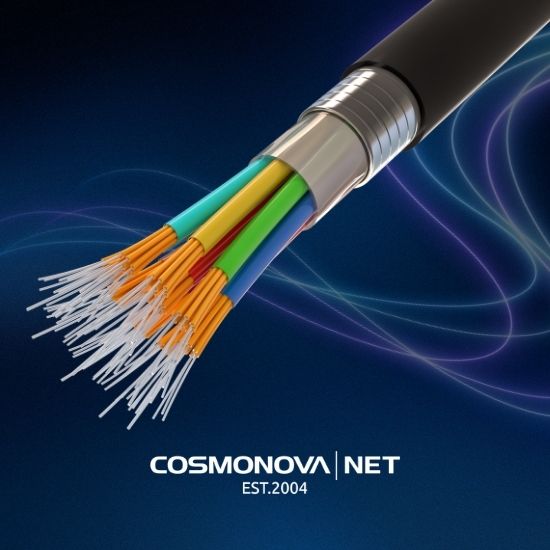
Fiber internet provides access to the internet through optical fiber, where data is transmitted as light rather than electrical pulses through copper cable. According to internet usage statistics from the International Telecommunication Union, 74% of the world’s population used the internet in 2025, up from 71% a year earlier. Optical networks are helping support this growth in areas where copper lines can no longer meet demand.
At COSMONOVA, we build connectivity solutions for offices, telecom operators, and media companies, so we see the difference every day: where twisted-pair cable reaches its limits, fiber provides performance headroom for years to come. Below, we explain how fiber internet differs from traditional connections, the available connection types, how to check service availability at an address, and what really affects speed.
The main difference comes down to the physics of data transmission. Copper cable loses signal strength over distance and is sensitive to electromagnetic interference, while optical fiber can transmit signals over kilometers without significant quality degradation. This leads to three practical benefits: higher speeds, lower latency, and more stable connectivity under load.
Key Takeaway
Fiber internet is not distinguished from traditional internet by speed alone. Its main advantages are stability, symmetrical bandwidth, low latency, and predictable performance during peak demand.
Fiber Internet: FTTH Technology and Other Options
Fiber To The Home (FTTH) is a connection architecture in which optical fiber runs directly to the user’s premises, without an intermediate copper section. It is one of the highest-performance options and is usually what people mean when they refer to fiber internet.
FTTH, FTTB, and FTTN: What Is the Difference for an Office?
For an office with video production facilities or a server room, FTTH is the most suitable option because it is less likely to become a bottleneck as demand grows. FTTB can still work for basic tasks, but increasing traffic may expose the limitations of the copper section.
Passive Optical Network (PON) in Brief
A Passive Optical Network (PON) is an architecture in which there is no active equipment between the provider and subscribers; only optical splitters are used. This means fewer points of failure, lower power consumption, and easier scaling. For businesses, it provides more predictable network operation without intermediate active nodes that could fail.
Fiber Internet Speed: Real-World Performance and Latency
Fiber internet speeds are measured in Mbps, but advertised speeds and actual results can differ. This gap does not necessarily mean the provider is performing poorly. It can result from the entire data path: optical line → optical network terminal (ONT) → router → Wi-Fi or Ethernet cable → user device. Each component adds latency or introduces a potential speed limitation. Understanding this chain is more important than simply choosing the highest advertised speed.
Download and Upload Speeds: What Matters for Business?
Asymmetric plans offer high download speeds but restrict upload speeds. Upload performance is especially important for video editing, cloud backups, live broadcasts, and work with external servers. A symmetrical fiber connection removes this limitation.
A practical guideline: if your workflow regularly involves uploading files several gigabytes in size or larger, an asymmetric plan may become a bottleneck long before you run out of download bandwidth.
Signal Latency and Packet Loss
Latency (ping) is measured in milliseconds and determines the responsiveness of VoIP, video conferencing, remote desktops, online games, and payment terminals. Packet loss can affect these services even more severely than low bandwidth. A 1,000 Mbps connection with 2% packet loss may feel worse than a stable 300 Mbps connection with no packet loss.
Fiber helps reduce the effects of electromagnetic interference and signal attenuation over distances of several kilometers, supporting a more stable connection.
What Really Affects Speed: Factors to Check
-
ONT type. Older models with a 100 Mbps port cannot pass more than that, even if the plan offers 1,000 Mbps.
-
Router. Budget routers may not sustain gigabit speeds over NAT and Wi-Fi. Gigabit plans require a router with gigabit ports and modern Wi-Fi.
-
Wi-Fi vs. Ethernet. Wi-Fi generally delivers less consistent speeds than a wired connection. For critical workloads, Ethernet is preferable.
-
Network congestion. During peak hours, congestion in apartment buildings or business centers tends to affect FTTB more than FTTH.
-
Route to the destination. Speed to a local resource and speed to an overseas server are two different measures. Provider routing can make a significant difference.
How to Test Your Speed Correctly
A single test using one service at one moment is not enough to draw reliable conclusions. Follow this practical process:
-
Connect the test device directly to the router using an Ethernet cable, bypassing Wi-Fi.
-
Run tests at different times of day—morning, afternoon, and evening.
-
Measure speeds to both a local server and an overseas server.
-
Record latency and packet loss, not just Mbps.
-
Compare the results with your contract and SLA.
Pro Tip
Check not only Mbps but also latency to key network endpoints. For interactive tasks, a 500 Mbps connection with 8 ms latency to a European data center may outperform a 1,000 Mbps connection with 40 ms latency.
Key Takeaway
Actual speed is not just the number in a plan. It reflects the performance of the entire chain: ONT, router, Ethernet or Wi-Fi, provider routing, and network congestion. Evaluate a connection using speed, latency, and packet loss together.
Fiber Internet Installation: Address Verification and the Process
Fiber installation starts with an address check. The provider verifies coverage for the specific building rather than the neighborhood as a whole. Availability can differ even between buildings on the same block.
Image: An engineer wearing branded workwear installs an optical terminal on an office wall. An optical patch cable and tools are nearby, with natural light coming through the window.
The process typically includes:
-
Check availability using the exact address and unit number.
-
Confirm the connection type—FTTH or FTTB—and where the terminal will be installed.
-
Agree on the plan, installation fee, and monthly subscription.
-
Sign the contract and review the public offer.
-
Arrange installation of the optical line and equipment.
-
Test speed, latency, and packet loss.
What Equipment Is Needed: Router and Optical Terminal
The basic setup includes an optical network terminal (ONT), which converts the optical signal into a network connection, and a router to distribute connectivity within the office. Media production environments may also need managed switches and backup power.
Power requirements should be considered in advance: the ONT and router should remain operational during short power interruptions.
Internet During Power Outages: How Fiber Works Without Electricity
Internet access during a power outage is possible, and this is one of the key advantages of fiber. The optical line does not conduct electricity, so the line itself is not directly affected by a power outage in a home or office. However, the ONT and router are required to convert and distribute the signal, and they need power.
The solution is an uninterruptible power supply (UPS) or battery for both the ONT and router. The service description on the fibra website states that fiber access can be used during scheduled and unscheduled power outages. Without backup power, the equipment will shut down even if the optical line remains active.
Warning
A common mistake is connecting a UPS only to the router and forgetting the optical terminal. Without power to the ONT, there will be no internet even if the router is still running. Both devices need backup power.
Business Plans, Contract Terms, and Additional Services
Fiber internet plans for businesses are based on speed, symmetrical bandwidth, support levels, and redundancy options. Publicly listed plans may offer speeds of up to 1,000 Mbps. For example, the fibra plan page lists a package with speeds of up to 1,000 Mbps.
The actual terms for an office depend on its address, the number of connections, and redundancy requirements, so pricing is calculated individually. Comparing providers only by the advertised speed is a mistake: the total cost and risks depend on the full set of contract terms.
What to Check in a Plan and Public Offer
-
Symmetry. Are download and upload speeds equal, or is upload restricted?
-
Traffic limits and fair use. Are there thresholds after which speeds are reduced?
-
Installation fee and monthly subscription. These are separate costs. Confirm whether optical-line installation is included.
-
Contract term and termination rules. Are there early termination fees, and how are they calculated?
-
Plan changes. Can you switch plans without reconnecting or paying additional fees?
-
SLA. Guaranteed uptime, support response time, fault-resolution time, and compensation for service-level violations.
-
Redundancy. Is there a backup connection, and how does failover work?
-
Additional services. Internet and television, static IP, dedicated circuits, and cloud services.
Practical Checklist Before Signing a Contract
-
Request the public offer and review the sections on pricing, termination, and liability.
-
Confirm exactly what is included in the monthly fee and what is charged separately.
-
Request SLA parameters in writing.
-
Ask how the provider handles outages, how long repairs take, and how downtime is compensated.
-
Check the redundancy design: whether a backup connection exists and how quickly it activates.
-
Confirm the process for changing plans and terminating the contract.
Warning
A common mistake is comparing providers only by speed and price without reading the contract sections on termination and liability. These sections may contain the main risks for a business.
Best Suited For
Offices, telecom operators, and media companies that need symmetrical fiber connectivity, redundancy, a transparent SLA, and support—not a basic home internet plan.
Before signing, request the redundancy design and check how the provider responds to outages. This matters more than a difference of a few Mbps.
How to Choose an Internet Provider: Criteria for Offices and Media Companies
Choosing an internet provider for an office comes down to four criteria: coverage at the address, symmetrical bandwidth, SLA, and support quality. A provider that cannot specify guaranteed uptime and response times is not suitable for mission-critical workloads.
At COSMONOVA, we address these needs through our data centers and redundant connections, supporting continuous server operation, data protection, and integrated solutions for television and video processing. For media companies, this means stable data delivery and low latency to content distribution points.
Before signing, request the redundancy design and check how the provider responds to outages. This matters more than a difference of a few Mbps.
A stable connection is no longer just a technical detail; it is a business requirement, especially when workflows depend on cloud platforms and external services. At COSMONOVA, we combine reliable internet connections, secure data centers, and cloud infrastructure to help businesses keep running during outages and peak demand. We help configure connectivity, redundancy, and support around your needs. Contact COSMONOVA to check availability at your address and calculate installation costs.
Frequently Asked Questions
What is fiber internet?
Fiber internet provides access through optical fiber, where data is transmitted as light rather than electricity. The connection may use Fiber To The Home (FTTH), with optical fiber running directly into the premises. Providers offer speeds of up to 1,000 Mbps and stable connectivity with minimal slowdowns during peak hours. Unlike copper lines, optical fiber is resistant to electromagnetic interference and can transmit signals over long distances without significant quality degradation.
Does fiber internet work during power outages?
An optical network transmits data using light and does not depend on electricity along the provider’s passive network section. Internet access can therefore continue during a power outage if your equipment has backup power. Connect both the router and optical terminal to an uninterruptible power supply (UPS). Fiber access can be used during scheduled and unscheduled outages, but without a UPS the equipment will shut down and connectivity will be lost.
What speed does fiber internet offer, and what affects it?
Fiber plans can offer speeds of up to 1,000 Mbps, also known as gigabit internet. Actual performance depends on the router, the optical terminal, the load on the server you are accessing, and bottlenecks within your local network. For offices, upload speed and low latency matter just as much as download speed. You can check actual performance using internet speed-testing services.
How can I check whether fiber is available at my address?
Check the provider’s website by entering your city or town, street, and building number. The system should indicate whether service is available. If the building is not connected, ask about the timeline for extending the optical network and the installation cost. For businesses in Kyiv and Europe, COSMONOVA provides internet connectivity and data-center colocation services. Current plans and terms can be requested through the website or a commercial proposal.